

 Try it for yourself - FREE!
ReDI MESH Course (approx. 210 mins.)
The following topics are included in your MESH training:
- Overview on OSH Course (30 mins)
- Understanding Safety and Health (30 mins)
- Recognizing Safety Hazards (60 mins)
- HIRAC Application (30 mins)
- Workplace Emergency Preparedness (30 mins)
- Compliance with Administrative OSH Requirements (30 mins)
 This will give you the ability to enrol your users into the ReDI Mandatory Eight-Hour Safety and Health (MESH) training course and manage their access and progress. Set the quantity for the number of users you need to train. You will be able to create the user accounts after your purchase.This product will enable you to train a team of users. Set the quantity for the number of users that you need to train. You will be able to create the user accounts after you have purchased the product.
ReDI MESH Course (approx. 210 mins.)
The following topics are included in your MESH training:
- Overview on OSH Course (30 mins)
- Understanding Safety and Health (30 mins)
- Recognizing Safety Hazards (60 mins)
- HIRAC Application (30 mins)
- Workplace Emergency Preparedness (30 mins)
- Compliance with Administrative OSH Requirements (30 mins)
Quantity
Single Enrollment
Perfect for individual learners who want to take charge of their own learning journey.
Includes:
- Single User Access
- 3-Month Access
- Knowledge Check
- Certificate of Completion
If you are placing a corporate or personal order for the Health Awareness in the Workplace Course for yourself, this Single Registration is the suitable option for you.
With a Single Registration purchase, you can easily enroll and gain access to the entire course and its eight interactive e-learning modules.
Once your account is created, you will receive an automated email notification with details on how to access this course.
IMPORTANT:
This option will not allow you to add more users under your access later. If you plan to add more users from your organization and need to monitor their progress using your account, please choose the Group Registration option.
Group Enrollment
Ideal for teams or company-wide rollouts—get everyone trained together.
Includes:
- Admin Account
- Sub-User Account
- Sub-User Progress Report
- 3-Month Access
- Knowledge Check
- Certificate of Completion
If you are placing a corporate order for the Health Awareness in the Workplace Course for your organization and need to register multiple users for this course, the Group Registration option provides an efficient solution for you.
By purchasing licenses for your team, you gain full control over the registration process. You can easily manage user enrollments individually or through bulk uploads using spreadsheets.
Once their accounts are created, our automated email notification system promptly informs each user, granting them access to the course.
IMPORTANT:
You can initially register one user under this Group Registration option and add more users from your organization later. Your Admin access account can manage your organization’s users.
Set the Quantity below to match the number of users that you need to train.
Quantity
Single Enrollment
Perfect for individual learners who want to take charge of their own learning journey.
Includes:
- Single User Access
- 3-Month Access
- Knowledge Check
- Certificate of Completion
If you are placing a corporate or personal order for the Drug Abuse Course for yourself, this Single Registration is the suitable option for you.
With a Single Registration purchase, you can easily enroll and gain access to the entire course and its eight interactive e-learning modules.
Once your account is created, you will receive an automated email notification with details on how to access this course.
IMPORTANT:
This option will not allow you to add more users under your access later. If you plan to add more users from your organization and need to monitor their progress using your account, please choose the Group Registration option.

Group Enrollment
Ideal for teams or company-wide rollouts—get everyone trained together.
Includes:
- Admin Account
- Sub-User Account
- Sub-User Progress Report
- 3-Month Access
- Knowledge Check
- Certificate of Completion
If you are placing a corporate order for the Drug Abuse Course for your organization and need to register multiple users for this course, the Group Registration option provides an efficient solution for you.
By purchasing licenses for your team, you gain full control over the registration process. You can easily manage user enrollments individually or through bulk uploads using spreadsheets.
Once their accounts are created, our automated email notification system promptly informs each user, granting them access to the course.
IMPORTANT:
You can initially register one user under this Group Registration option and add more users from your organization later. Your Admin access account can manage your organization’s users.
Set the Quantity below to match the number of users that you need to train.
Quantity
Single Enrollment
Perfect for individual learners who want to take charge of their own learning journey.
Includes:
- Single User Access
- 3-Month Access
- Knowledge Check
- Certificate of Completion
If you are placing a corporate or personal order for the HIV/AIDs Awareness for yourself, this Single Registration is the suitable option for you.
With a Single Registration purchase, you can easily enroll and gain access to the entire course and its eight interactive e-learning modules.
Once your account is created, you will receive an automated email notification with details on how to access this course.
IMPORTANT:
This option will not allow you to add more users under your access later. If you plan to add more users from your organization and need to monitor their progress using your account, please choose the Group Registration option.

Group Enrollment
Ideal for teams or company-wide rollouts—get everyone trained together.
Includes:
- Admin Account
- Sub-User Account
- Sub-User Progress Report
- 3-Month Access
- Knowledge Check
- Certificate of Completion
If you are placing a corporate order for the HIV/AIDs Awareness for your organization and need to register multiple users for this course, the Group Registration option provides an efficient solution for you.
By purchasing licenses for your team, you gain full control over the registration process. You can easily manage user enrollments individually or through bulk uploads using spreadsheets.
Once their accounts are created, our automated email notification system promptly informs each user, granting them access to the course.
IMPORTANT:
You can initially register one user under this Group Registration option and add more users from your organization later. Your Admin access account can manage your organization’s users.
Set the Quantity below to match the number of users that you need to train.
Quantity
Single Enrollment
Perfect for individual learners who want to take charge of their own learning journey.
Includes:
- Single User Access
- 3-Month Access
- Knowledge Check
- Certificate of Completion
If you are placing a corporate or personal order for the Hepatitis B Awareness Course for yourself, this Single Registration is the suitable option for you.
With a Single Registration purchase, you can easily enroll and gain access to the entire course and its eight interactive e-learning modules.
Once your account is created, you will receive an automated email notification with details on how to access this course.
IMPORTANT:
This option will not allow you to add more users under your access later. If you plan to add more users from your organization and need to monitor their progress using your account, please choose the Group Registration option.

Group Enrollment
Ideal for teams or company-wide rollouts—get everyone trained together.
Includes:
- Admin Account
- Sub-User Account
- Sub-User Progress Report
- 3-Month Access
- Knowledge Check
- Certificate of Completion
If you are placing a corporate order for the Hepatitis B Awareness Course for your organization and need to register multiple users for this course, the Group Registration option provides an efficient solution for you.
By purchasing licenses for your team, you gain full control over the registration process. You can easily manage user enrollments individually or through bulk uploads using spreadsheets.
Once their accounts are created, our automated email notification system promptly informs each user, granting them access to the course.
IMPORTANT:
You can initially register one user under this Group Registration option and add more users from your organization later. Your Admin access account can manage your organization’s users.
Set the Quantity below to match the number of users that you need to train.
Quantity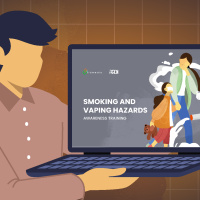
Single Enrollment
Perfect for individual learners who want to take charge of their own learning journey.
Includes:
- Single User Access
- 3-Month Access
- Knowledge Check
- Certificate of Completion
If you are placing a corporate or personal order for the Smoking and Vaping Hazards Course for yourself, this Single Registration is the suitable option for you.
With a Single Registration purchase, you can easily enroll and gain access to the entire course and its eight interactive e-learning modules.
Once your account is created, you will receive an automated email notification with details on how to access this course.
IMPORTANT:
This option will not allow you to add more users under your access later. If you plan to add more users from your organization and need to monitor their progress using your account, please choose the Group Registration option.

Group Enrollment
Ideal for teams or company-wide rollouts—get everyone trained together.
Includes:
- Admin Account
- Sub-User Account
- Sub-User Progress Report
- 3-Month Access
- Knowledge Check
- Certificate of Completion
If you are placing a corporate order for the Smoking and Vaping Hazards Course for your organization and need to register multiple users for this course, the Group Registration option provides an efficient solution for you.
By purchasing licenses for your team, you gain full control over the registration process. You can easily manage user enrollments individually or through bulk uploads using spreadsheets.
Once their accounts are created, our automated email notification system promptly informs each user, granting them access to the course.
IMPORTANT:
You can initially register one user under this Group Registration option and add more users from your organization later. Your Admin access account can manage your organization’s users.
Set the Quantity below to match the number of users that you need to train.
Quantity
Single Enrollment
Perfect for individual learners who want to take charge of their own learning journey.
Includes:
- Single User Access
- 3-Month Access
- Knowledge Check
- Certificate of Completion
If you are placing a corporate or personal order for the Tuberculosis Awareness Course for yourself, this Single Registration is the suitable option for you.
With a Single Registration purchase, you can easily enroll and gain access to the entire course and its eight interactive e-learning modules.
Once your account is created, you will receive an automated email notification with details on how to access this course.
IMPORTANT:
This option will not allow you to add more users under your access later. If you plan to add more users from your organization and need to monitor their progress using your account, please choose the Group Registration option.

Group Enrollment
Ideal for teams or company-wide rollouts—get everyone trained together.
Includes:
- Admin Account
- Sub-User Account
- Sub-User Progress Report
- 3-Month Access
- Knowledge Check
- Certificate of Completion
If you are placing a corporate order for the Tuberculosis Awareness Course for your organization and need to register multiple users for this course, the Group Registration option provides an efficient solution for you.
By purchasing licenses for your team, you gain full control over the registration process. You can easily manage user enrollments individually or through bulk uploads using spreadsheets.
Once their accounts are created, our automated email notification system promptly informs each user, granting them access to the course.
IMPORTANT:
You can initially register one user under this Group Registration option and add more users from your organization later. Your Admin access account can manage your organization’s users.
Set the Quantity below to match the number of users that you need to train.
Quantity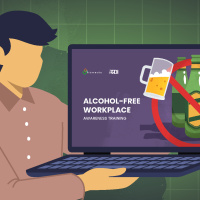
Single Enrollment
Perfect for individual learners who want to take charge of their own learning journey.
Includes:
- Single User Access
- 3-Month Access
- Knowledge Check
- Certificate of Completion
If you are placing a corporate or personal order for the Alchohol-free Course for yourself, this Single Registration is the suitable option for you.
With a Single Registration purchase, you can easily enroll and gain access to the entire course and its eight interactive e-learning modules.
Once your account is created, you will receive an automated email notification with details on how to access this course.
IMPORTANT:
This option will not allow you to add more users under your access later. If you plan to add more users from your organization and need to monitor their progress using your account, please choose the Group Registration option.
Group Enrollment
Ideal for teams or company-wide rollouts—get everyone trained together.
Includes:
- Admin Account
- Sub-User Account
- Sub-User Progress Report
- 3-Month Access
- Knowledge Check
- Certificate of Completion
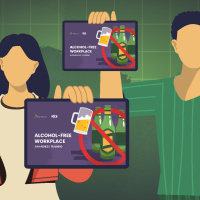
If you are placing a corporate order for the Alchohol-free Course for your organization and need to register multiple users for this course, the Group Registration option provides an efficient solution for you.
By purchasing licenses for your team, you gain full control over the registration process. You can easily manage user enrollments individually or through bulk uploads using spreadsheets.
Once their accounts are created, our automated email notification system promptly informs each user, granting them access to the course.
IMPORTANT:
You can initially register one user under this Group Registration option and add more users from your organization later. Your Admin access account can manage your organization’s users.
Set the Quantity below to match the number of users that you need to train.
Quantity
Single Enrollment
Perfect for individual learners who want to take charge of their own learning journey.
Includes:
- Single User Access
- 3-Month Access
- Knowledge Check
- Certificate of Completion
If you are placing a corporate or personal order for the Workplace Harassment Prevention Course for yourself, this Single Registration is the suitable option for you.
With a Single Registration purchase, you can easily enroll and gain access to the entire course and its eight interactive e-learning modules.
Once your account is created, you will receive an automated email notification with details on how to access this course.
IMPORTANT:
This option will not allow you to add more users under your access later. If you plan to add more users from your organization and need to monitor their progress using your account, please choose the Group Registration option.

Group Enrollment
Ideal for teams or company-wide rollouts—get everyone trained together.
Includes:
- Admin Account
- Sub-User Account
- Sub-User Progress Report
- 3-Month Access
- Knowledge Check
- Certificate of Completion
If you are placing a corporate order for the Workplace Harassment Prevention Course for your organization and need to register multiple users for this course, the Group Registration option provides an efficient solution for you.
By purchasing licenses for your team, you gain full control over the registration process. You can easily manage user enrollments individually or through bulk uploads using spreadsheets.
Once their accounts are created, our automated email notification system promptly informs each user, granting them access to the course.
IMPORTANT:
You can initially register one user under this Group Registration option and add more users from your organization later. Your Admin access account can manage your organization’s users.
Set the Quantity below to match the number of users that you need to train.
Quantity
Single Enrollment
Perfect for individual learners who want to take charge of their own learning journey.
Includes:
- Single User Access
- 3-Month Access
- Knowledge Check
- Certificate of Completion
If you are placing a corporate or personal order for the Workplace Mental Health Course for yourself, this Single Registration is the suitable option for you.
With a Single Registration purchase, you can easily enroll and gain access to the entire course and its eight interactive e-learning modules.
Once your account is created, you will receive an automated email notification with details on how to access this course.
IMPORTANT:
This option will not allow you to add more users under your access later. If you plan to add more users from your organization and need to monitor their progress using your account, please choose the Group Registration option.

Group Enrollment
Ideal for teams or company-wide rollouts—get everyone trained together.
Includes:
- Admin Account
- Sub-User Account
- Sub-User Progress Report
- 3-Month Access
- Knowledge Check
- Certificate of Completion
If you are placing a corporate order for the Workplace Mental Health Course for your organization and need to register multiple users for this course, the Group Registration option provides an efficient solution for you.
By purchasing licenses for your team, you gain full control over the registration process. You can easily manage user enrollments individually or through bulk uploads using spreadsheets.
Once their accounts are created, our automated email notification system promptly informs each user, granting them access to the course.
IMPORTANT:
You can initially register one user under this Group Registration option and add more users from your organization later. Your Admin access account can manage your organization’s users.
Set the Quantity below to match the number of users that you need to train.
Quantity
Single Enrollment
Perfect for individual learners who want to take charge of their own learning journey.
Includes:
- Single User Access
- 3-Month Access
- Knowledge Check
- Certificate of Completion
If you are placing a corporate or personal order for the Cancer Prevention Course for yourself, this Single Registration is the suitable option for you.
With a Single Registration purchase, you can easily enroll and gain access to the entire course and its eight interactive e-learning modules.
Once your account is created, you will receive an automated email notification with details on how to access this course.
IMPORTANT:
This option will not allow you to add more users under your access later. If you plan to add more users from your organization and need to monitor their progress using your account, please choose the Group Registration option.

Group Enrollment
Ideal for teams or company-wide rollouts—get everyone trained together.
Includes:
- Admin Account
- Sub-User Account
- Sub-User Progress Report
- 3-Month Access
- Knowledge Check
- Certificate of Completion
If you are placing a corporate order for the Cancer Prevention Course for your organization and need to register multiple users for this course, the Group Registration option provides an efficient solution for you.
By purchasing licenses for your team, you gain full control over the registration process. You can easily manage user enrollments individually or through bulk uploads using spreadsheets.
Once their accounts are created, our automated email notification system promptly informs each user, granting them access to the course.
IMPORTANT:
You can initially register one user under this Group Registration option and add more users from your organization later. Your Admin access account can manage your organization’s users.
Set the Quantity below to match the number of users that you need to train.
Quantity
Single Enrollment
Perfect for individual learners who want to take charge of their own learning journey.
Includes:
- Single User Access
- 3-Month Access
- Knowledge Check
- Certificate of Completion
If you are placing a corporate or personal order for the Fraud Awareness - Insurance Course for yourself, this Single Registration is the suitable option for you.
With a Single Registration purchase, you can easily enroll and gain access to the entire course and its eight interactive e-learning modules.
Once your account is created, you will receive an automated email notification with details on how to access this course.
IMPORTANT:
This option will not allow you to add more users under your access later. If you plan to add more users from your organization and need to monitor their progress using your account, please choose the Group Registration option.

Group Enrollment
Ideal for teams or company-wide rollouts—get everyone trained together.
Includes:
- Admin Account
- Sub-User Account
- Sub-User Progress Report
- 3-Month Access
- Knowledge Check
- Certificate of Completion
If you are placing a corporate order for the Fraud Awareness - Insurance Course for your organization and need to register multiple users for this course, the Group Registration option provides an efficient solution for you.
By purchasing licenses for your team, you gain full control over the registration process. You can easily manage user enrollments individually or through bulk uploads using spreadsheets.
Once their accounts are created, our automated email notification system promptly informs each user, granting them access to the course.
IMPORTANT:
You can initially register one user under this Group Registration option and add more users from your organization later. Your Admin access account can manage your organization’s users.
Set the Quantity below to match the number of users that you need to train.
Quantity
Single Enrollment
Perfect for individual learners who want to take charge of their own learning journey.
Includes:
- Single User Access
- 3-Month Access
- Knowledge Check
- Certificate of Completion
If you are placing a corporate or personal order for the Fraud Awareness - Banks Course for yourself, this Single Registration is the suitable option for you.
With a Single Registration purchase, you can easily enroll and gain access to the entire course and its eight interactive e-learning modules.
Once your account is created, you will receive an automated email notification with details on how to access this course.
IMPORTANT:
This option will not allow you to add more users under your access later. If you plan to add more users from your organization and need to monitor their progress using your account, please choose the Group Registration option.

Group Enrollment
Ideal for teams or company-wide rollouts—get everyone trained together.
Includes:
- Admin Account
- Sub-User Account
- Sub-User Progress Report
- 3-Month Access
- Knowledge Check
- Certificate of Completion
If you are placing a corporate order for the Fraud Awareness - Banks Course for your organization and need to register multiple users for this course, the Group Registration option provides an efficient solution for you.
By purchasing licenses for your team, you gain full control over the registration process. You can easily manage user enrollments individually or through bulk uploads using spreadsheets.
Once their accounts are created, our automated email notification system promptly informs each user, granting them access to the course.
IMPORTANT:
You can initially register one user under this Group Registration option and add more users from your organization later. Your Admin access account can manage your organization’s users.
Set the Quantity below to match the number of users that you need to train.
Quantity
Single Enrollment
Perfect for individual learners who want to take charge of their own learning journey.
Includes:
- Single User Access
- 3-Month Access
- Knowledge Check
- Certificate of Completion
If you are placing a corporate or personal order for the Data Privacy Act 101 Course for yourself, this Single Registration is the suitable option for you.
With a Single Registration purchase, you can easily enroll and gain access to the entire course and its eight interactive e-learning modules.
Once your account is created, you will receive an automated email notification with details on how to access this course.
IMPORTANT:
This option will not allow you to add more users under your access later. If you plan to add more users from your organization and need to monitor their progress using your account, please choose the Group Registration option.

Group Enrollment
Ideal for teams or company-wide rollouts—get everyone trained together.
Includes:
- Admin Account
- Sub-User Account
- Sub-User Progress Report
- 3-Month Access
- Knowledge Check
- Certificate of Completion
If you are placing a corporate order for the Data Privacy Act 101 Course for your organization and need to register multiple users for this course, the Group Registration option provides an efficient solution for you.
By purchasing licenses for your team, you gain full control over the registration process. You can easily manage user enrollments individually or through bulk uploads using spreadsheets.
Once their accounts are created, our automated email notification system promptly informs each user, granting them access to the course.
IMPORTANT:
You can initially register one user under this Group Registration option and add more users from your organization later. Your Admin access account can manage your organization’s users.
Set the Quantity below to match the number of users that you need to train.
Quantity
Single Enrollment
Perfect for individual learners who want to take charge of their own learning journey.
Includes:
- Single User Access
- 3-Month Access
- Knowledge Check
- Certificate of Completion
If you are placing a corporate or personal order for the Office Ergonomics Course for yourself, this Single Registration is the suitable option for you.
With a Single Registration purchase, you can easily enroll and gain access to the entire course and its eight interactive e-learning modules.
Once your account is created, you will receive an automated email notification with details on how to access this course.
IMPORTANT:
This option will not allow you to add more users under your access later. If you plan to add more users from your organization and need to monitor their progress using your account, please choose the Group Registration option.

Group Enrollment
Ideal for teams or company-wide rollouts—get everyone trained together.
Includes:
- Admin Account
- Sub-User Account
- Sub-User Progress Report
- 3-Month Access
- Knowledge Check
- Certificate of Completion
If you are placing a corporate order for the Office Ergonomics Course for your organization and need to register multiple users for this course, the Group Registration option provides an efficient solution for you.
By purchasing licenses for your team, you gain full control over the registration process. You can easily manage user enrollments individually or through bulk uploads using spreadsheets.
Once their accounts are created, our automated email notification system promptly informs each user, granting them access to the course.
IMPORTANT:
You can initially register one user under this Group Registration option and add more users from your organization later. Your Admin access account can manage your organization’s users.
Set the Quantity below to match the number of users that you need to train.
Quantity
Single Enrollment
Perfect for individual learners who want to take charge of their own learning journey.
Includes:
- Single User Access
- 3-Month Access
- Knowledge Check
- Certificate of Completion
If you are placing a corporate or personal order for the Earthquake PreparednessCourse for yourself, this Single Registration is the suitable option for you.
With a Single Registration purchase, you can easily enroll and gain access to the entire course and its eight interactive e-learning modules.
Once your account is created, you will receive an automated email notification with details on how to access this course.
IMPORTANT:
This option will not allow you to add more users under your access later. If you plan to add more users from your organization and need to monitor their progress using your account, please choose the Group Registration option.

Group Enrollment
Ideal for teams or company-wide rollouts—get everyone trained together.
Includes:
- Admin Account
- Sub-User Account
- Sub-User Progress Report
- 3-Month Access
- Knowledge Check
- Certificate of Completion
If you are placing a corporate order for the Earthquake Preparedness Course for your organization and need to register multiple users for this course, the Group Registration option provides an efficient solution for you.
By purchasing licenses for your team, you gain full control over the registration process. You can easily manage user enrollments individually or through bulk uploads using spreadsheets.
Once their accounts are created, our automated email notification system promptly informs each user, granting them access to the course.
IMPORTANT:
You can initially register one user under this Group Registration option and add more users from your organization later. Your Admin access account can manage your organization’s users.
Set the Quantity below to match the number of users that you need to train.
Quantity
Single Enrollment
Perfect for individual learners who want to take charge of their own learning journey.
Includes:
- Single User Access
- 3-Month Access
- Knowledge Check
- Certificate of Completion
If you are placing a corporate or personal order for the Anti-Sexual Harrassment Course for yourself, this Single Registration is the suitable option for you.
With a Single Registration purchase, you can easily enroll and gain access to the entire course and its eight interactive e-learning modules.
Once your account is created, you will receive an automated email notification with details on how to access this course.
IMPORTANT:
This option will not allow you to add more users under your access later. If you plan to add more users from your organization and need to monitor their progress using your account, please choose the Group Registration option.

Group Enrollment
Ideal for teams or company-wide rollouts—get everyone trained together.
Includes:
- Admin Account
- Sub-User Account
- Sub-User Progress Report
- 3-Month Access
- Knowledge Check
- Certificate of Completion
If you are placing a corporate order for the Anti-Sexual Harrassment Course for your organization and need to register multiple users for this course, the Group Registration option provides an efficient solution for you.
By purchasing licenses for your team, you gain full control over the registration process. You can easily manage user enrollments individually or through bulk uploads using spreadsheets.
Once their accounts are created, our automated email notification system promptly informs each user, granting them access to the course.
IMPORTANT:
Quantity
Single Enrollment
Perfect for individual learners who want to take charge of their own learning journey.
Includes:
- Single User Access
- 3-Month Access
- Knowledge Check
- Certificate of Completion
If you are placing a corporate or personal order for the Workplace Emergency Course for yourself, this Single Registration is the suitable option for you.
With a Single Registration purchase, you can easily enroll and gain access to the entire course and its eight interactive e-learning modules.
Once your account is created, you will receive an automated email notification with details on how to access this course.
IMPORTANT:
This option will not allow you to add more users under your access later. If you plan to add more users from your organization and need to monitor their progress using your account, please choose the Group Registration option.

Group Enrollment
Ideal for teams or company-wide rollouts—get everyone trained together.
Includes:
- Admin Account
- Sub-User Account
- Sub-User Progress Report
- 3-Month Access
- Knowledge Check
- Certificate of Completion
If you are placing a corporate order for the Workplace Emergency Course for your organization and need to register multiple users for this course, the Group Registration option provides an efficient solution for you.
By purchasing licenses for your team, you gain full control over the registration process. You can easily manage user enrollments individually or through bulk uploads using spreadsheets.
Once their accounts are created, our automated email notification system promptly informs each user, granting them access to the course.
IMPORTANT:
You can initially register one user under this Group Registration option and add more users from your organization later. Your Admin access account can manage your organization’s users.
Set the Quantity below to match the number of users that you need to train.
Quantity
Single Enrollment
Perfect for individual learners who want to take charge of their own learning journey.
Includes:
- Single User Access
- 3-Month Access
- Knowledge Check
- Certificate of Completion
If you are placing a corporate or personal order for the Information Security Course for yourself, this Single Registration is the suitable option for you.
With a Single Registration purchase, you can easily enroll and gain access to the entire course and its eight interactive e-learning modules.
Once your account is created, you will receive an automated email notification with details on how to access this course.
IMPORTANT:
This option will not allow you to add more users under your access later. If you plan to add more users from your organization and need to monitor their progress using your account, please choose the Group Registration option.

Group Enrollment
Ideal for teams or company-wide rollouts—get everyone trained together.
Includes:
- Admin Account
- Sub-User Account
- Sub-User Progress Report
- 3-Month Access
- Knowledge Check
- Certificate of Completion
If you are placing a corporate order for the Information Security Course for your organization and need to register multiple users for this course, the Group Registration option provides an efficient solution for you.
By purchasing licenses for your team, you gain full control over the registration process. You can easily manage user enrollments individually or through bulk uploads using spreadsheets.
Once their accounts are created, our automated email notification system promptly informs each user, granting them access to the course.
IMPORTANT:
You can initially register one user under this Group Registration option and add more users from your organization later. Your Admin access account can manage your organization’s users.
Set the Quantity below to match the number of users that you need to train.
Quantity
Single Enrollment
Perfect for individual learners who want to take charge of their own learning journey.
Includes:
- Single User Access
- 3-Month Access
- Knowledge Check
- Certificate of Completion
If you are placing a corporate or personal order for the Safe Spaces Course for yourself, this Single Registration is the suitable option for you.
With a Single Registration purchase, you can easily enroll and gain access to the entire course and its eight interactive e-learning modules.
Once your account is created, you will receive an automated email notification with details on how to access this course.
IMPORTANT:
This option will not allow you to add more users under your access later. If you plan to add more users from your organization and need to monitor their progress using your account, please choose the Group Registration option.

Group Enrollment
Ideal for teams or company-wide rollouts—get everyone trained together.
Includes:
- Admin Account
- Sub-User Account
- Sub-User Progress Report
- 3-Month Access
- Knowledge Check
- Certificate of Completion
If you are placing a corporate order for the Safe Spaces Course for your organization and need to register multiple users for this course, the Group Registration option provides an efficient solution for you.
By purchasing licenses for your team, you gain full control over the registration process. You can easily manage user enrollments individually or through bulk uploads using spreadsheets.
Once their accounts are created, our automated email notification system promptly informs each user, granting them access to the course.
IMPORTANT:
You can initially register one user under this Group Registration option and add more users from your organization later. Your Admin access account can manage your organization’s users.
Set the Quantity below to match the number of users that you need to train.
Quantity This free demo offers a 15-minute preview of our Workplace Health and Safety e-learning modules. It provides access to sample pages from different modules, showcasing the structure, navigation, and types of content included. The demo highlights key features such as realistic scenarios, custom visuals, and interactive elements that illustrate how the training is delivered. By exploring this demo, learners can get a clear sense of the e-learning format and how it functions. This preview is designed to help you assess how the modules may be used to support your training goals, including compliance and safety awareness.
Language: English
Duration: 15 minutes
Who should take this course:
• HR professionals, Supervisors, Executives, and Policy Makers who are responsible for implementing inclusive and compliant workplace health policies, managing disclosures, reducing stigma, and promoting employee well-being.
• Employees, New Hires, and Government Officials, who are looking to understand workplace safety standards, support health promotion efforts, uphold employee rights, and foster a supportive, and respectful workplace culture.
• Individuals, working professionals, and business owners who are looking to understand workplace health and safety policies, employee rights, and inclusive practices for safer and healthier work environments.
What you will learn:
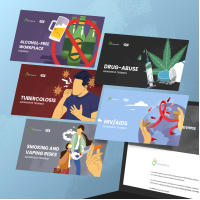
• Drug Abuse Awareness
• HIV/AIDs Awareness
• Hepatitis B Awareness
• Smoking and Vaping Hazards
• Tuberculosis Awareness
• Alchohol-free
• Workplace Harassment Prevention
• Workplace Mental Health
• Cancer PreventionThis course includes:
• Self-paced learning
• Engaging e-learning modules
• Three-month access
• Certificate of completionCourse Description:
This free demo offers a 15-minute preview of our Workplace Health and Safety e-learning modules. It provides access to sample pages from different modules, showcasing the structure, navigation, and types of content included. The demo highlights key features such as realistic scenarios, custom visuals, and interactive elements that illustrate how the training is delivered. By exploring this demo, learners can get a clear sense of the e-learning format and how it functions. This preview is designed to help you assess how the modules may be used to support your training goals, including compliance and safety awareness.
This product will enable you to train a team of users. Set the quantity for the number of users that you need to train. You will be able to create the user accounts after you have purchased the product.

Single Enrollment
Perfect for individual learners who want to take charge of their own learning journey.
Includes:
- Single User Access
- 3-Month Access
- Knowledge Check
- Certificate of Completion
If you are placing a corporate or personal order for the Code of Conduct and Ethics Course for yourself, this Single Registration is the suitable option for you.
With a Single Registration purchase, you can easily enroll and gain access to the entire course and its eight interactive e-learning modules.
Once your account is created, you will receive an automated email notification with details on how to access this course.
IMPORTANT:
This option will not allow you to add more users under your access later. If you plan to add more users from your organization and need to monitor their progress using your account, please choose the Group Registration option.

Group Enrollment
Ideal for teams or company-wide rollouts—get everyone trained together.
Includes:
- Admin Account
- Sub-User Account
- Sub-User Progress Report
- 3-Month Access
- Knowledge Check
- Certificate of Completion
If you are placing a corporate order for the Code of Conduct and Ethics Course for your organization and need to register multiple users for this course, the Group Registration option provides an efficient solution for you.
By purchasing licenses for your team, you gain full control over the registration process. You can easily manage user enrollments individually or through bulk uploads using spreadsheets.
Once their accounts are created, our automated email notification system promptly informs each user, granting them access to the course.
IMPORTANT:
You can initially register one user under this Group Registration option and add more users from your organization later. Your Admin access account can manage your organization’s users.
Set the Quantity below to match the number of users that you need to train.
Quantity
Single Enrollment
Perfect for individual learners who want to take charge of their own learning journey.
Includes:
- Single User Access
- 3-Month Access
- Knowledge Check
- Certificate of Completion
If you are placing a corporate or personal order for the Anti-Discrimination and Diversity Awareness in the Workplace Course for yourself, this Single Registration is the suitable option for you.
With a Single Registration purchase, you can easily enroll and gain access to the entire course and its eight interactive e-learning modules.
Once your account is created, you will receive an automated email notification with details on how to access this course.
IMPORTANT:
This option will not allow you to add more users under your access later. If you plan to add more users from your organization and need to monitor their progress using your account, please choose the Group Registration option.

Group Enrollment
Ideal for teams or company-wide rollouts—get everyone trained together.
Includes:
- Admin Account
- Sub-User Account
- Sub-User Progress Report
- 3-Month Access
- Knowledge Check
- Certificate of Completion
If you are placing a corporate order for the Anti-Discrimination and Diversity Awareness in the Workplace Course for your organization and need to register multiple users for this course, the Group Registration option provides an efficient solution for you.
By purchasing licenses for your team, you gain full control over the registration process. You can easily manage user enrollments individually or through bulk uploads using spreadsheets.
Once their accounts are created, our automated email notification system promptly informs each user, granting them access to the course.
IMPORTANT:
You can initially register one user under this Group Registration option and add more users from your organization later. Your Admin access account can manage your organization’s users.
Set the Quantity below to match the number of users that you need to train.
Quantity
Single Enrollment
Perfect for individual learners who want to take charge of their own learning journey.
Includes:
- Single User Access
- 3-Month Access
- Knowledge Check
- Certificate of Completion
If you are placing a corporate or personal order for the Anti-Discrimination and Diversity Awareness in the Workplace Course for yourself, this Single Registration is the suitable option for you.
With a Single Registration purchase, you can easily enroll and gain access to the entire course and its eight interactive e-learning modules.
Once your account is created, you will receive an automated email notification with details on how to access this course.
IMPORTANT:
This option will not allow you to add more users under your access later. If you plan to add more users from your organization and need to monitor their progress using your account, please choose the Group Registration option.

Group Enrollment
Ideal for teams or company-wide rollouts—get everyone trained together.
Includes:
- Admin Account
- Sub-User Account
- Sub-User Progress Report
- 3-Month Access
- Knowledge Check
- Certificate of Completion
If you are placing a corporate order for the SOGIESC Awareness in the Workplace Course for your organization and need to register multiple users for this course, the Group Registration option provides an efficient solution for you.
By purchasing licenses for your team, you gain full control over the registration process. You can easily manage user enrollments individually or through bulk uploads using spreadsheets.
Once their accounts are created, our automated email notification system promptly informs each user, granting them access to the course.
IMPORTANT:
You can initially register one user under this Group Registration option and add more users from your organization later. Your Admin access account can manage your organization’s users.
Set the Quantity below to match the number of users that you need to train.
Quantity
Single Enrollment
Perfect for individual learners who want to take charge of their own learning journey.
Includes:
- Single User Access
- 3-Month Access
- Knowledge Check
- Certificate of Completion
If you are placing a corporate or personal order for the Remote Work Security Awareness Course for yourself, this Single Registration is the suitable option for you.
With a Single Registration purchase, you can easily enroll and gain access to the entire course and its eight interactive e-learning modules.
Once your account is created, you will receive an automated email notification with details on how to access this course.
IMPORTANT:
This option will not allow you to add more users under your access later. If you plan to add more users from your organization and need to monitor their progress using your account, please choose the Group Registration option.

Group Enrollment
Ideal for teams or company-wide rollouts—get everyone trained together.
Includes:
- Admin Account
- Sub-User Account
- Sub-User Progress Report
- 3-Month Access
- Knowledge Check
- Certificate of Completion
If you are placing a corporate order for the Remote Work Security Awareness Course for your organization and need to register multiple users for this course, the Group Registration option provides an efficient solution for you.
By purchasing licenses for your team, you gain full control over the registration process. You can easily manage user enrollments individually or through bulk uploads using spreadsheets.
Once their accounts are created, our automated email notification system promptly informs each user, granting them access to the course.
IMPORTANT:
You can initially register one user under this Group Registration option and add more users from your organization later. Your Admin access account can manage your organization’s users.
Set the Quantity below to match the number of users that you need to train.
Quantity