

Non- Health Related Courses
Single Enrollment
Perfect for individual learners who want to take charge of their own learning journey.
Includes:
- Single User Access
- 3-Month Access
- Knowledge Check
- Certificate of Completion
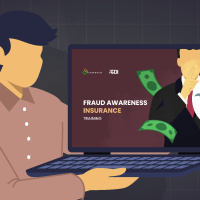
If you are placing a corporate or personal order for the Fraud Awareness - Insurance Course for yourself, this Single Registration is the suitable option for you.
With a Single Registration purchase, you can easily enroll and gain access to the entire course and its eight interactive e-learning modules.
Once your account is created, you will receive an automated email notification with details on how to access this course.
IMPORTANT:
This option will not allow you to add more users under your access later. If you plan to add more users from your organization and need to monitor their progress using your account, please choose the Group Registration option.

Group Enrollment
Ideal for teams or company-wide rollouts—get everyone trained together.
Includes:
- Admin Account
- Sub-User Account
- Sub-User Progress Report
- 3-Month Access
- Knowledge Check
- Certificate of Completion
If you are placing a corporate order for the Fraud Awareness - Insurance Course for your organization and need to register multiple users for this course, the Group Registration option provides an efficient solution for you.
By purchasing licenses for your team, you gain full control over the registration process. You can easily manage user enrollments individually or through bulk uploads using spreadsheets.
Once their accounts are created, our automated email notification system promptly informs each user, granting them access to the course.
IMPORTANT:
You can initially register one user under this Group Registration option and add more users from your organization later. Your Admin access account can manage your organization’s users.
Set the Quantity below to match the number of users that you need to train.
Quantity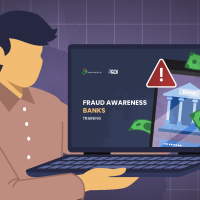
Single Enrollment
Perfect for individual learners who want to take charge of their own learning journey.
Includes:
- Single User Access
- 3-Month Access
- Knowledge Check
- Certificate of Completion
If you are placing a corporate or personal order for the Fraud Awareness - Banks Course for yourself, this Single Registration is the suitable option for you.
With a Single Registration purchase, you can easily enroll and gain access to the entire course and its eight interactive e-learning modules.
Once your account is created, you will receive an automated email notification with details on how to access this course.
IMPORTANT:
This option will not allow you to add more users under your access later. If you plan to add more users from your organization and need to monitor their progress using your account, please choose the Group Registration option.

Group Enrollment
Ideal for teams or company-wide rollouts—get everyone trained together.
Includes:
- Admin Account
- Sub-User Account
- Sub-User Progress Report
- 3-Month Access
- Knowledge Check
- Certificate of Completion
If you are placing a corporate order for the Fraud Awareness - Banks Course for your organization and need to register multiple users for this course, the Group Registration option provides an efficient solution for you.
By purchasing licenses for your team, you gain full control over the registration process. You can easily manage user enrollments individually or through bulk uploads using spreadsheets.
Once their accounts are created, our automated email notification system promptly informs each user, granting them access to the course.
IMPORTANT:
You can initially register one user under this Group Registration option and add more users from your organization later. Your Admin access account can manage your organization’s users.
Set the Quantity below to match the number of users that you need to train.
Quantity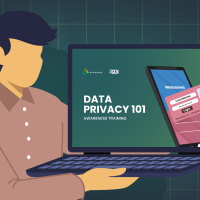
Single Enrollment
Perfect for individual learners who want to take charge of their own learning journey.
Includes:
- Single User Access
- 3-Month Access
- Knowledge Check
- Certificate of Completion
If you are placing a corporate or personal order for the Data Privacy Act 101 Course for yourself, this Single Registration is the suitable option for you.
With a Single Registration purchase, you can easily enroll and gain access to the entire course and its eight interactive e-learning modules.
Once your account is created, you will receive an automated email notification with details on how to access this course.
IMPORTANT:
This option will not allow you to add more users under your access later. If you plan to add more users from your organization and need to monitor their progress using your account, please choose the Group Registration option.

Group Enrollment
Ideal for teams or company-wide rollouts—get everyone trained together.
Includes:
- Admin Account
- Sub-User Account
- Sub-User Progress Report
- 3-Month Access
- Knowledge Check
- Certificate of Completion
If you are placing a corporate order for the Data Privacy Act 101 Course for your organization and need to register multiple users for this course, the Group Registration option provides an efficient solution for you.
By purchasing licenses for your team, you gain full control over the registration process. You can easily manage user enrollments individually or through bulk uploads using spreadsheets.
Once their accounts are created, our automated email notification system promptly informs each user, granting them access to the course.
IMPORTANT:
You can initially register one user under this Group Registration option and add more users from your organization later. Your Admin access account can manage your organization’s users.
Set the Quantity below to match the number of users that you need to train.
Quantity
Single Enrollment
Perfect for individual learners who want to take charge of their own learning journey.
Includes:
- Single User Access
- 3-Month Access
- Knowledge Check
- Certificate of Completion
If you are placing a corporate or personal order for the Information Security Course for yourself, this Single Registration is the suitable option for you.
With a Single Registration purchase, you can easily enroll and gain access to the entire course and its eight interactive e-learning modules.
Once your account is created, you will receive an automated email notification with details on how to access this course.
IMPORTANT:
This option will not allow you to add more users under your access later. If you plan to add more users from your organization and need to monitor their progress using your account, please choose the Group Registration option.

Group Enrollment
Ideal for teams or company-wide rollouts—get everyone trained together.
Includes:
- Admin Account
- Sub-User Account
- Sub-User Progress Report
- 3-Month Access
- Knowledge Check
- Certificate of Completion
If you are placing a corporate order for the Information Security Course for your organization and need to register multiple users for this course, the Group Registration option provides an efficient solution for you.
By purchasing licenses for your team, you gain full control over the registration process. You can easily manage user enrollments individually or through bulk uploads using spreadsheets.
Once their accounts are created, our automated email notification system promptly informs each user, granting them access to the course.
IMPORTANT:
You can initially register one user under this Group Registration option and add more users from your organization later. Your Admin access account can manage your organization’s users.
Set the Quantity below to match the number of users that you need to train.
Quantity
Single Enrollment
Perfect for individual learners who want to take charge of their own learning journey.
Includes:
- Single User Access
- 3-Month Access
- Knowledge Check
- Certificate of Completion
If you are placing a corporate or personal order for the Remote Work Security Awareness Course for yourself, this Single Registration is the suitable option for you.
With a Single Registration purchase, you can easily enroll and gain access to the entire course and its eight interactive e-learning modules.
Once your account is created, you will receive an automated email notification with details on how to access this course.
IMPORTANT:
This option will not allow you to add more users under your access later. If you plan to add more users from your organization and need to monitor their progress using your account, please choose the Group Registration option.

Group Enrollment
Ideal for teams or company-wide rollouts—get everyone trained together.
Includes:
- Admin Account
- Sub-User Account
- Sub-User Progress Report
- 3-Month Access
- Knowledge Check
- Certificate of Completion
If you are placing a corporate order for the Remote Work Security Awareness Course for your organization and need to register multiple users for this course, the Group Registration option provides an efficient solution for you.
By purchasing licenses for your team, you gain full control over the registration process. You can easily manage user enrollments individually or through bulk uploads using spreadsheets.
Once their accounts are created, our automated email notification system promptly informs each user, granting them access to the course.
IMPORTANT:
You can initially register one user under this Group Registration option and add more users from your organization later. Your Admin access account can manage your organization’s users.
Set the Quantity below to match the number of users that you need to train.
Quantity